How to Add a New User to Google AdSense
Hello, this is Isaac from WPlaybook. Today, we will learn how to grant access to your Google AdSense account to another user. This method can be useful when you want to ask someone else to manage your AdSense settings. Please follow along carefully.
Why You Need to Add a New User to Google AdSense
At WPlaybook Hosting, we manage everything for your blog—from AdSense to PSI (PageSpeed Insights) scores. In this process, we often ask our clients to grant access to their Google AdSense accounts.
In such cases, if clients add the WPlaybook email as a user with access to their Google AdSense account, we can enter the AdSense account, create ad units tailored to their blog, and help set up ads so they fit perfectly on the site.
How to Add a New User to Google AdSense
Here’s how to add a new user to your Google AdSense account:
- First, log in to your Google AdSense account.
- In the left section, click Account > Access & Authorizations > User Management to bring up a screen that looks like this
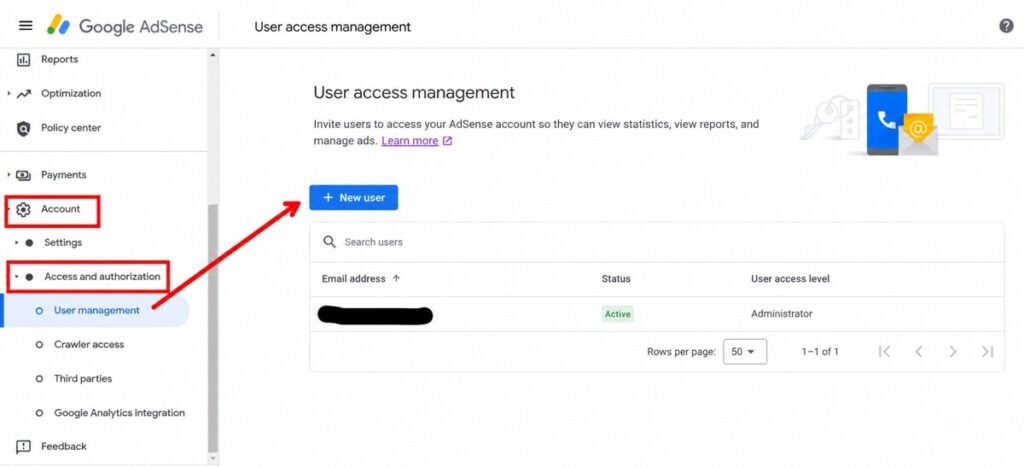
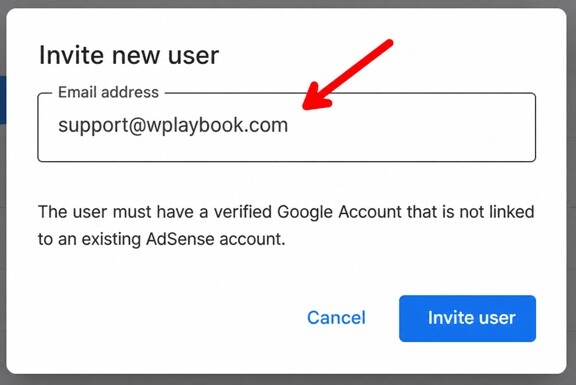
- Press the “+ New User” (blue) button to bring up the Invite New User screen
.Polylang placeholder do not
modify - Hit the Invite user button and you’re done.
Changing Google AdSense User Access Levels
Next, let’s look at how to change the access level. There are two levels: Standard and Admin. For detailed descriptions of each permission, please refer to the Google AdSense Help Center.
If you’re using WPlaybook Hosting, please be sure to complete the following steps as well!
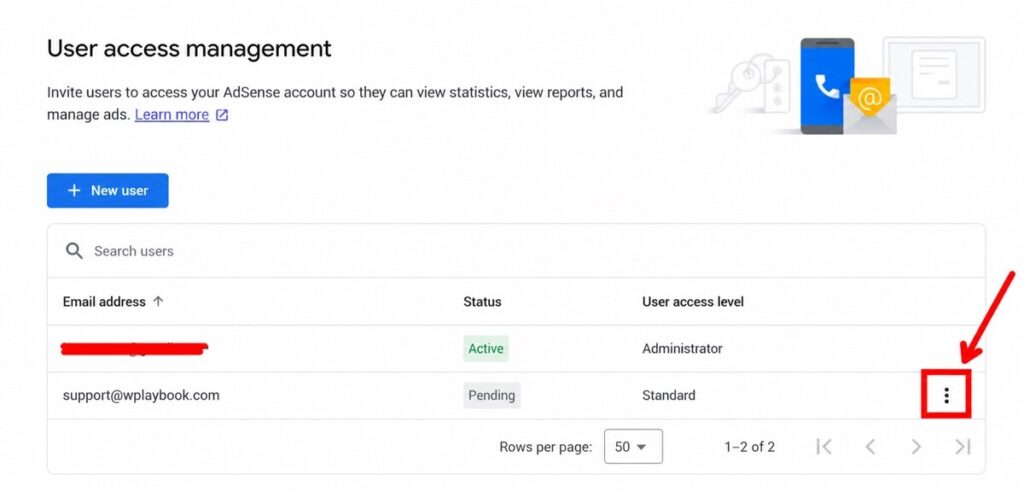
As shown in the image above, click the three-dot menu. Then you will see the option to change access levels. Click the first button and select the desired access level for the invited user.
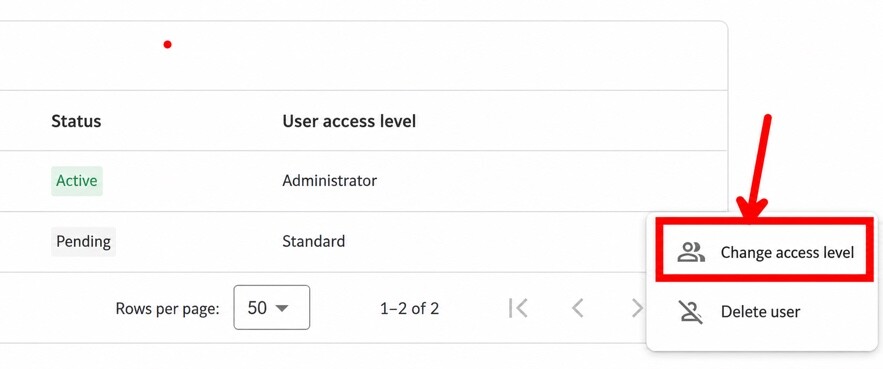
- For those using WPlaybook Hosting services, please elevate the WPlaybook support email to Admin level!
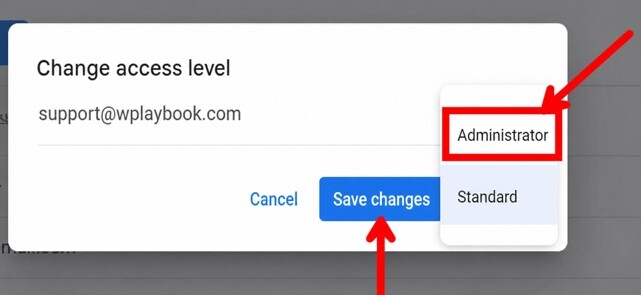
Select “Admin,” then click “Apply Changes” (the blue button), and you’re done.
Important Notes When Adding a New User to Google AdSense
When adding a new user as an AdSense manager as described above, please be aware of the following:
The email address you invite must not already be registered with another AdSense account. If it is, the invitation will not go through. Please keep this in mind.
Closing Thoughts
Wowple now offers Blog Total Care — a comprehensive service combining premium hosting with paid plugins. We handle all the technical operations of your blog so you can focus entirely on creating great content.
You may also like
by Google AdSense

Issac Lee is the founder of WPlaybook and Statistics Playbook, a data analytics education brand. Since 2021, he has built and operated online businesses, produced more than 500 videos, and created and sold courses and digital content in collaboration with companies. He currently manages the development, SEO, and content operations of more than 40 business websites and specialist blogs. His work focuses on WordPress funnels, technical SEO, content strategy, community-led monetization, and sustainable online business.
View all posts by Issac Lee