Google Preferred Sources: Why Every Publisher Should Add the Button
Google Preferred Sources lets readers tell Google, “I want to see more content from this site.”
It is not a secret ranking button. It is a new way to increase the chance of reconnecting with someone who has already found and valued your content—inside Google Search itself.
If you publish useful, timely articles on a regular basis, that is the practical reason to install the button now.
The most direct benefit for publishers
When a reader adds your site as a preferred source, your relevant, fresh articles may appear more often in that reader’s Top Stories. In supported AI Mode and AI Overview experiences, content from preferred sources may also receive a “From your sources” or preferred-source treatment.
This does not lift your rankings for every searcher. The benefit is more focused: people who already like your work can find it again more easily in their own Google experience, instead of losing your site among competing publishers.
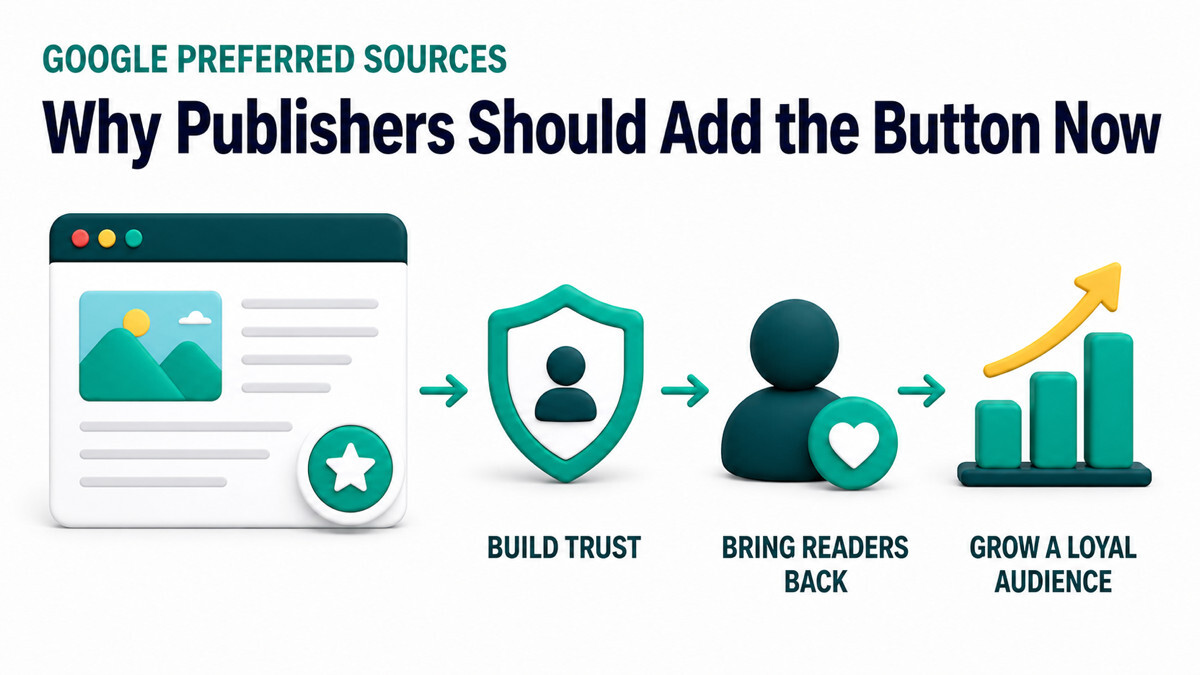
What this guide covers
- What Google Preferred Sources is
- Why publishers should install the button now
- What you may miss by not installing it
- How it relates to SEO rankings
- How to install it on WordPress, Tistory, and Blogger
What is Google Preferred Sources?
Have you started seeing an Add as a preferred source on Google button on news and information sites?
At first glance, it resembles a follow or subscribe button. A growing number of publishers now use it to help readers save a frequently visited source inside Google Search.
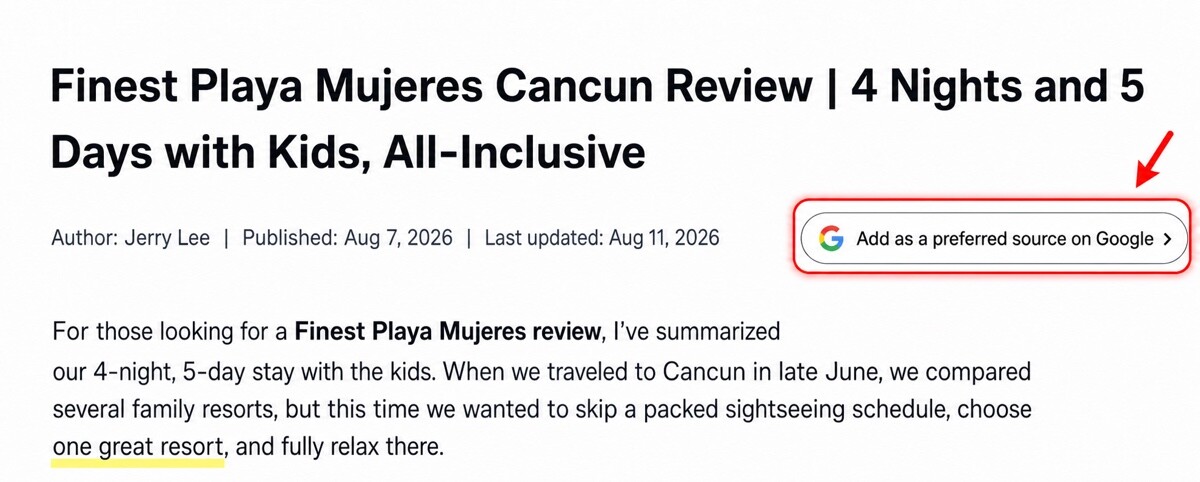
This is Google Preferred Sources. It allows a user to choose news sites and blogs they trust or read often. When a selected source publishes timely content relevant to a query, it may appear more prominently in that user’s Top Stories and other supported Search features.
The important limitation is that the preference affects the selecting user’s personalized experience. It does not rewrite the universal ranking order, and other publishers do not disappear. Google still evaluates relevance and freshness while helping that user discover the sources they chose.
Eligibility, availability, and implementation details are documented in the official Google Search Central Preferred Sources guide.
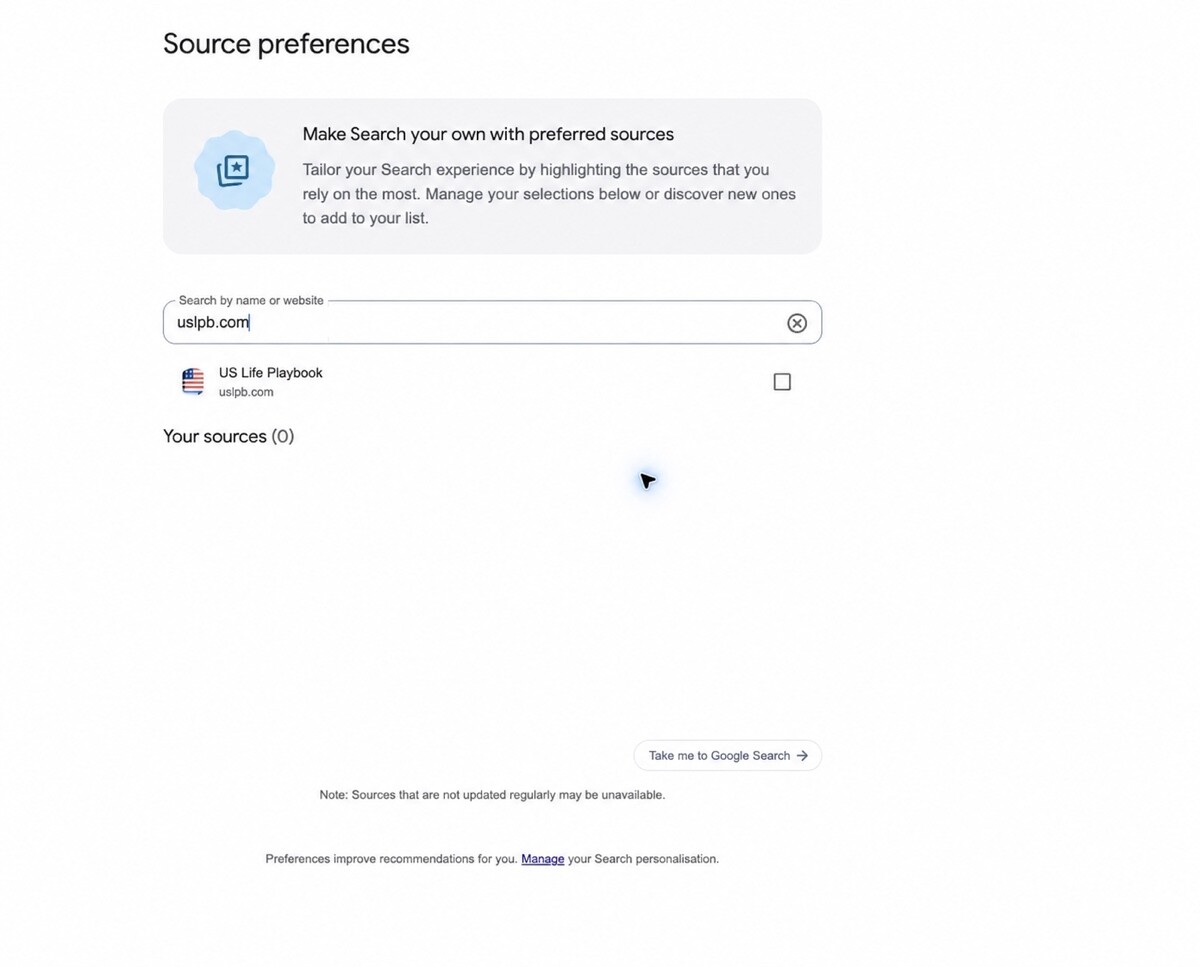
Five reasons to install the Google Preferred Sources button now
1. Turn a search visitor into a reader you can reach again
Most search visitors leave as soon as they get an answer. Newsletter signup and membership require an email address, consent, and extra steps.
Preferred Sources asks for a simpler action within the reader’s existing Google account: select the source. The button creates a short path from a one-time search visit to a longer-term relationship.
2. In AI search, being chosen matters as much as being discovered
Search results now combine webpages, video, shopping, and AI-generated answers. Publishing a good article is essential, but it is no longer enough to assume the same reader will naturally find you again.
Preferred Sources gives someone who has experienced the value of your work a way to say, “I want to keep seeing this source.” It does not replace quality. It helps a reader’s recognition of that quality carry into future searches.
3. An explicit choice is especially valuable for smaller brands
People often search again for a major publication by name. A useful article from a niche blog or specialist company may be remembered, while the site’s name is forgotten.
The button turns “come back later” into a real settings action. It is particularly useful for subjects readers revisit—local information, taxes, immigration, parenting, travel, careers, technology, or personal finance.
4. Installation and visitor friction are both low
Google’s official JavaScript button adapts to the visitor’s supported environment and language. Whether you use WordPress, Tistory, or Blogger, one shared code snippet can display it across many posts.
WPlaybook’s free generator creates the platform-specific code, so you do not have to write JavaScript or XML by hand.
5. Every day without the button is a missed invitation
A publisher cannot add everyone automatically. Each reader must choose the source personally. Delaying the installation means loyal visitors pass through your site without being shown this option.
If you publish current information consistently, place the button where an engaged reader will naturally see it—near the beginning or end of the article.
What do you miss if you do not install it?
Reader action
With the button: a reader can select your site while reading the article. Without it: the reader must find Google’s settings flow independently.
Rediscovery
With the button: your content can receive preferred treatment in supported experiences for the selecting user. Without it: you continue to rely mainly on ordinary search discovery.
Brand relationship
With the button: the reader saves your site as a trusted source in Google. Without it: the reader must remember your name or search for you again.
Ongoing maintenance
With the button: one shared snippet can display it across many posts. Without it: there is no simple on-page route for readers to express the preference.
You are not penalized for skipping the button. The opportunity cost is that competing sites may offer an easy selection flow while yours asks readers to discover a more complicated Google settings process on their own.
Does Google Preferred Sources improve SEO rankings?
It does not guarantee a direct ranking increase.
The button is not a backlink and does not move your site above competitors for every Google user. A selected source still needs content that is relevant and sufficiently fresh for the query.
It is still valuable in a broader SEO strategy. Traditional SEO focuses on how a page is discovered for the first time. Preferred Sources adds a way for a satisfied reader to choose your brand after that discovery. Think of it as an audience-retention layer that complements technical SEO, helpful content, brand trust, and email subscriptions.
Which sites benefit most?
- Sites publishing timely information: news, policy, tax, immigration, technology, and local updates
- Specialist blogs readers revisit: WordPress, SEO, finance, parenting, health, and travel
- Communities with loyal readers: sites where members and contributors publish regularly
- Small publishers building branded search: blogs and companies whose names are not yet widely recognized
Google’s source selector works at the domain or subdomain level; a subfolder cannot be selected as a separate source. Sources that are not updated regularly may not be available. Use the generator’s source check before installation.
Install the button in about three minutes
- Open the free Google Preferred Sources Button Generator.
- Enter your site URL and select the platform, placement, theme, and language.
- Paste the generated code once into the platform’s HTML or shared script area.
- Open a public post in a logged-out browser and test both the button and Google’s selection screen.
Platform-specific guides
Frequently asked questions
Is the Preferred Sources button free?
Yes. Google’s feature and official button are free, and WPlaybook’s installation-code generator is also free to use.
Does clicking the button register the site immediately?
The button opens Google’s source-selection screen. The user must confirm the site and select it. The exact flow can vary with login state and Google’s interface.
Will the button improve rankings?
It does not guarantee higher rankings. It is a personalization feature that can help the selecting user find relevant and fresh content from sources they chose.
Do I need to register each article URL?
No. Preferred Sources works at the domain or subdomain level. The efficient approach is to install shared code once so the button appears across posts.
Give a satisfied reader a clear next step
Publishers invest substantial time in research, writing, images, and SEO. If the article ends without a way to reconnect, that relationship may end with a single search visit.
The Google Preferred Sources button appears at the moment your content has earned trust and lets the reader act on that trust. It is not a tool for manipulating rankings. It is a durable connection built around the reader’s own choice.
Installation takes only a few minutes. Generate your code today and start with the posts your most engaged readers visit most often.
You may also like
by Google AdSense

Issac Lee is the founder of WPlaybook and Statistics Playbook, a data analytics education brand. Since 2021, he has built and operated online businesses, produced more than 500 videos, and created and sold courses and digital content in collaboration with companies. He currently manages the development, SEO, and content operations of more than 40 business websites and specialist blogs. His work focuses on WordPress funnels, technical SEO, content strategy, community-led monetization, and sustainable online business.
View all posts by Issac Lee