How to Increase Impressions in Google Search Console WordPress?
If you built your website with WordPress, you might already be using Google Search Console to monitor your website. Inside there are some of the most crucial numbers which are called impressions. Impressions indicate the frequency your pages have been visible in Google search results, though they may not have been clicked.
Low impressions is a common problem of many website owners. Fortunately though, you can enhance them with the proper SEO strategy. In this guide, you’ll discover a handful of practical and long-tail strategies for boosting impressions in Google Search Console WordPress in 2026 and beyond.
Impressions in Google Search Console are what?
Impressions are the number of times your web page gets displayed in Google search results. If a user scrolls past your website and doesn’t click on it, it is still regarded as an impression.
The more impressions in Google Search Console you have, the more likely it is that you’ll:
- Google is correctly indexing your content
- Your keywords are ranking for more queries
- The more visibility your content gains in the search results, the better.
If the numbers are low, then there’s a good chance that your content is not ranking or getting found by Google.
Create pages on your WordPress website that are optimized for search intent
Matching search intent is one of the most potent ways to boost impression. Search intent refers to what users actually intend to search for when entering a query.
For example:
Informational intent: “how to get more visitors to my website”
The website’s purpose is commercial, as indicated by the keyword “best SEO tools for WordPress”.
Search intent: “how to log in to WordPress”
You will need to make sure that your content is relevant to the search terms in order to have a positive impression. Create content that thoroughly addresses the query rather than just briefly skimping on the subject.
Focus on:
- Clear explanations
- Deep topic coverage
- Natural keyword usage
- Useful and organized material
As Google becomes useful to your content, it begins to display your content for more keywords, thus boosting your impressions in Google Search Console.
Use Proper Keyword Optimization in WordPress
Keyword optimization remains one of the key elements of SEO. But don’t overstuff with keywords and that will do you no good.
Here are some tips for boosting impressions in Google Search Console WordPress:
Use your primary keyword in:
- Title of the post
- First paragraph
- One or two headings
- Integrate throughout the text, as appropriate.
Use variations of your keyword such as:
- Get more impressions on Google Search Console.
- Optimize WordPress for Search Engines.
- Make WordPress search engine optimizable.
- boost search impressions on website
This will help Google grasp your topic and rank your page for multiple searches regarding your topic.
Create & publish high-quality long-form content
Shorter content will not rank well for competitive keywords. Google likes articles that are well written, detailed, and valuable, and that provide a comprehensive overview of a subject.
Here are a few tips to increase the impressions, try to go for:
In-depth explanations
Competitive topics require 1000+ words (more for competitive topics).
In the following, the use of real examples and use cases will be employed.
Good use of structure and headings.
With long-form content your page will have a chance to rank for the keywords that it contains, improving impressions in Search Console directly.
Optimize WordPress On Page SEO
On page optimization is one of the key factors for visibility. However, if your content is great, then bad on page optimization can result in reduced impressions.
Focus on:
- SEO optimized titles that include keywords.
- Optimize URL structure (short, readable).
- Meta descriptions that catch user attention and drive clicks.Meta descriptions that get clicks.
- Correctly uses headings (H2, H3)
- Linking between similar posts within the website.Connecting posts that relate to each other within the site.
With the help of SEO plugins like Rank Math or Yoast SEO, you can optimize these elements easily within WordPress.
Handle indexing problems in Google Search Console
When your pages aren’t indexed, you won’t receive any impressions.
Look for these in Google Search Console:
- A report of what was covered when data was indexed.Report of what was covered when data was indexed.
- “Crawled but not indexed” pages
- “Discovered but not indexed” issues
To fix indexing problems:
- Submit sitemap again
- Manually request to index important pages
- Enhance thin or poor quality content
- Fix broken links
With the improvements in indexing, impressions will grow naturally.
Create a good internal linking structure
Internal linking is the process of linking other pages within your website, which assists Google to find your content more rapidly. It also distributes SEO value throughout your website.
To increase impressions:
- Connect blog posts in a chain with the categories you choose.
- Make internal links to new posts from ‘high-traffic’ pages
- Avoid using the anchor text ‘Click here’.
Internal linking aids in crawling and raises the likelihood for achieving more keyword rankings.
Optimize Page Speed and Page Mobile Experience
Google prefers fast and mobile-friendly websites. Slow WordPress site can cause low impressions.
To improve performance:
- To minimize the amount of code, use a lightweight theme.
- Optimize images
- Enable caching
- If possible, use a CDN (Content Distribution Network).
Having a fast website website also enhances customer experience, which results in indirect rankings and impressions.
Use keywords that are not highly competitive
If you are building or running a new site or a small site, you will not be able to get as many impressions as you are able to get if you aim for highly competitive keywords.
Instead, focus on:
- Long-tail keywords
- Question-based searches
- Low Competitive SEO Topics
For example:
Rather than SEO, look for “how to boost impressions in Google search console WordPress.”
This boosts your content’s ranking and impressions in the future.
Regularly update old content
If you have old content, it can drop in rankings over time. It helps to regain visibility by updating it.
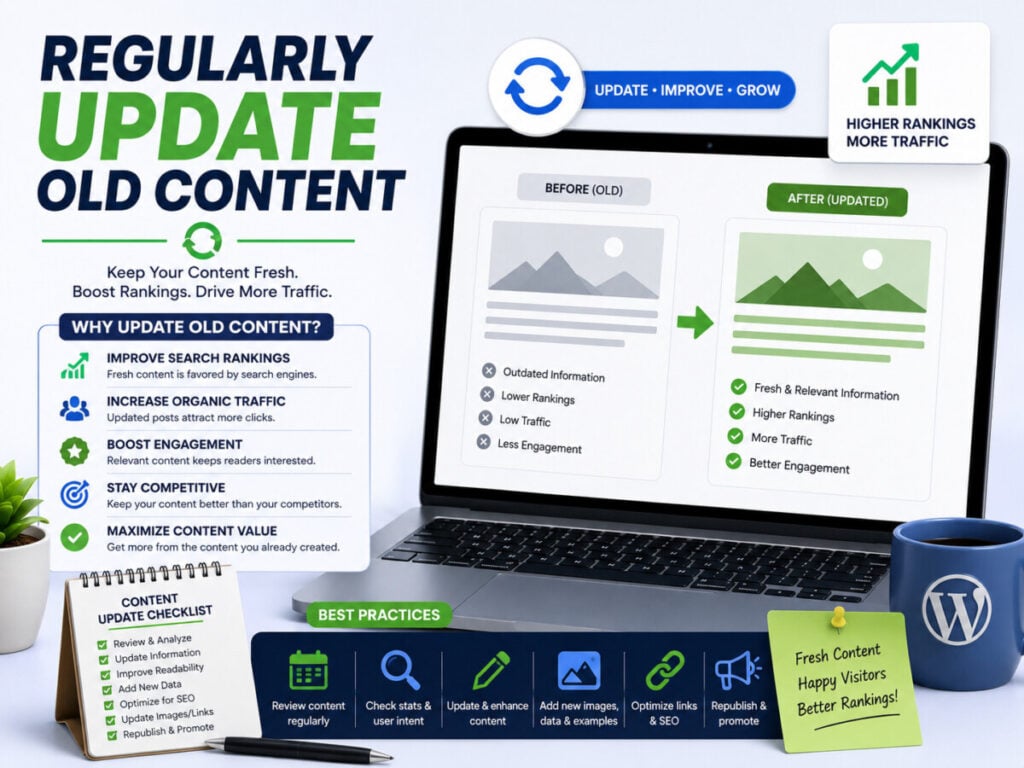
You should:
- Refresh outdated information
- Add new sections and Keywords
- Improve readability
- Update internal links
Google re-indexes updated content, thereby bringing back the impressions.
Leverage Google Search Console Data for Optimization
Search Console is the best SEO tool you have. Regularly analyse:
In the following section, you will find queries that will already add impressions.
Pages that have a very high number of impressions and low click rates.
Keywords appearing on pages 2 and 3.
These pages can be enhanced by:
- Expanding content
- Improving titles
- Identifying and integrating more internal links
This is one of the quickest means to boost impressions.
Build High-Quality Backlinks
Backlinks inform Google that you are authoritative. The more authority that you have, the better visibility you will have.
To get backlinks:
- Write guest posts
- Post some posts on forums and communities
- Develop helpful resources that people will want to use as a reference.
A handful of high-quality backlinks can have an impact on impressions in Search Console.
Read this Blog: How to Register WordPress with Google Search Console (Beginner Guide)
Conclusion
It’s not a single trick to increase impressions in Google Search Console WordPress. It’s about SEO, content, technical optimisation and regular updates.
With the right keyword optimization, site performance and the right keywords, Google begins to display your pages in more searches. This brings increased impressions and improved organic growth.
Rather than seeking instant results, concentrate on boosting your blog for long-term SEO success, and you’ll begin to see it rank highly in search engines over time.
What is the reason for this low impression score in Google Search Console?
Low impressions typically occur because of weak indexing, weak SEO efforts, or targeting keywords which are too competitive.
How many days does it take to grow impressions?
This can take a couple of weeks to several months, depending on the quality of your content and the competition that exists.
Are the updates of content driving more impressions?
Yes, updating old content can help Google re-crawl your page and can impact visibility.
Is WordPress good for SEO?
Yes, WordPress is SEO-friendly when optimized effectively using the plugins and proper content organization.
You may also like
by Google AdSense

Issac Lee is the founder of WPlaybook and Statistics Playbook, a data analytics education brand. Since 2021, he has built and operated online businesses, produced more than 500 videos, and created and sold courses and digital content in collaboration with companies. He currently manages the development, SEO, and content operations of more than 40 business websites and specialist blogs. His work focuses on WordPress funnels, technical SEO, content strategy, community-led monetization, and sustainable online business.
View all posts by Issac Lee